
AirScope: Pollen & Air Quality
Ingenio ProductionsWeather
4.087.00 Reviews
- Version
- 2.0.1
- Installs
- 10.00K
- Age Rating
- Everyone
Screenshots
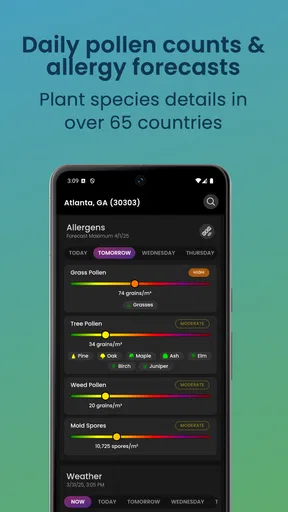
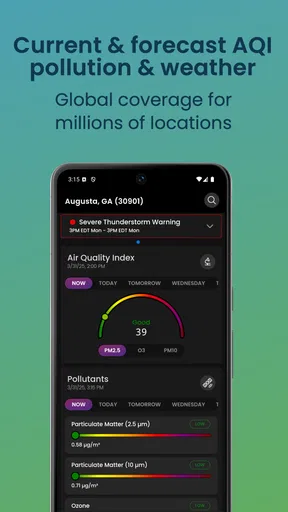
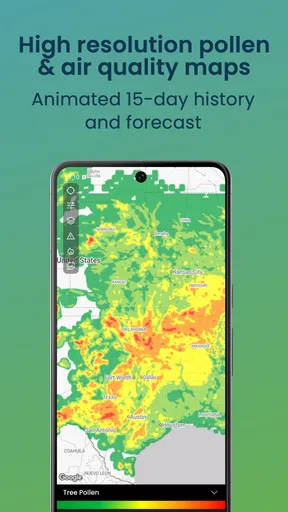
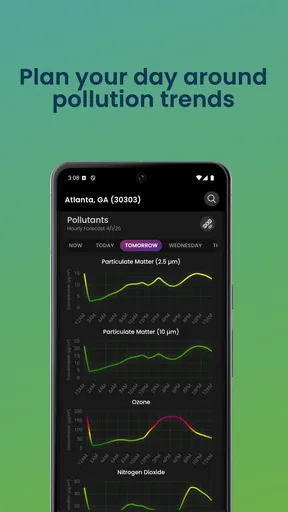
Our Review of AirScope: Pollen & Air Quality
 Analysis by Appyee
I look at weather apps differently when they deal with breathing, allergies, and wildfire smoke. A forecast can be slightly off and still help me decide whether to carry an umbrella, but an air-quality reading may influence whether I exercise outdoors or keep a sensitive family member inside. That is why AirScope: Pollen & Air Quality, from Ingenio Productions, caught my attention as a focused weather app rather than another general forecast dashboard. It brings pollen information, air-quality forecasting, allergy alerts, a wildfire smoke map, and weather radar into one place.
After spending time with it, my impression is cautiously positive. AirScope is most useful when I want environmental context around the weather, not just a temperature and rain prediction. Its strongest idea is the combination of several conditions that are usually scattered across different tools. At the same time, I would not treat it as a medical authority or as the only source I use during a serious smoke event. It is a practical decision-support app, and its value depends on how carefully I interpret the information it presents.
What makes AirScope worth considering
The app sits in the weather category, but its purpose is narrower and more personal than a conventional daily forecast. A standard weather app usually answers questions such as whether it will rain, how warm the afternoon may be, or whether wind will pick up. AirScope adds the environmental factors that can make an otherwise pleasant day uncomfortable: airborne pollen, poor air quality, and smoke from wildfires.
That difference matters in ordinary situations. I might see a mild forecast and plan a long walk, then notice that pollen conditions are unfavorable. Or I might decide to run outside because the sky looks clear, only to discover that smoke has affected the air. Having those signals together encourages a better decision than relying on the appearance of the sky or the temperature alone.
The app is free to download and use as a starting point, with optional in-app purchases ranging from less than a dollar to a few dollars per item. That makes it relatively easy to try without committing money first. It is rated for Everyone, and the minimum operating-system requirement is version twelve, so compatibility is an important practical check before installation. The current release is version two point zero point one, and the app was released in May 2024.
Ingenio Productions has kept the concept understandable: the app is not trying to become a social network, a fitness tracker, or a medical consultation service. That narrower identity helps me know what to expect. I open it to assess the conditions around me, rather than to manage a broad collection of personal information or activities.
Trust begins with knowing what the app is for
My trust in an app like this starts with its boundaries. AirScope presents forecasts and visual information that can support a choice, but the information should still be treated as an estimate. Pollen levels can vary from one neighborhood to another, smoke can move quickly, and air-quality conditions may change between one update and the next. The app is useful precisely because it gathers relevant signals, but that does not turn a forecast into a guarantee.
I especially appreciate the distinction between a helpful warning and a definitive health instruction. Someone with asthma, severe allergies, or another respiratory condition may need advice from a healthcare professional and local emergency authorities during dangerous conditions. AirScope can help me notice that a day deserves extra caution, while a medical professional remains the right source for personal limits and treatment decisions.
The public reception also gives a modest indication of how the app is being received. It has an average rating of four out of five from roughly two hundred eighty ratings, alongside dozens of written reviews. I read that as encouraging but not conclusive. The install base is over ten thousand, which suggests that the app has found an audience, although it is still a relatively small product compared with the biggest weather services.
That smaller scale can be a benefit if I prefer a focused interface, but it also means I would be more careful about relying on it alone for high-stakes decisions. During a major wildfire or an official air-quality emergency, I would cross-check the app with local government alerts and established public-health sources. This is not a criticism unique to AirScope; it is the sensible way to use any consumer forecast tool.
Controls and choices I can actually evaluate
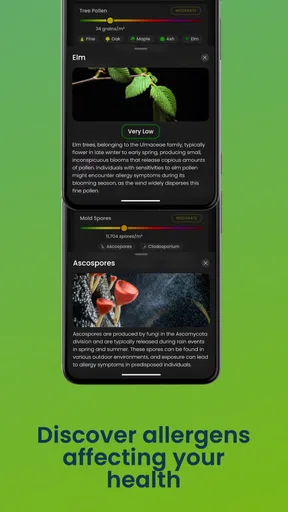
The most visible control is the ability to choose what kind of environmental information deserves attention. Instead of treating every weather detail as equally important, I can focus on pollen, air quality, smoke, or radar depending on the situation. That makes the app more useful for people whose needs change across the day. A person with seasonal allergies may care most about pollen before leaving home, while a traveler may turn to radar when a storm approaches.
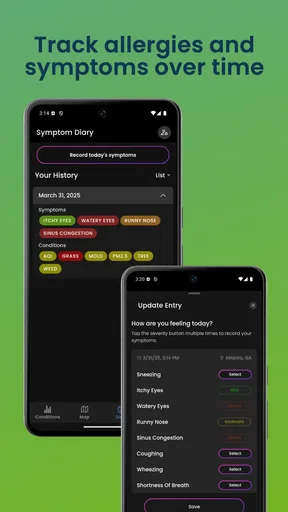
Alerts are another important part of the experience. I see them as a convenience rather than something I should enable without thinking. If I am sensitive to pollen, an allergy alert could save me from checking repeatedly. However, alerts can also become background noise if I select too many conditions or if the thresholds do not match my personal tolerance. My practical approach would be to begin with the most relevant warning, observe whether it changes my decisions, and add more only when they provide clear value.
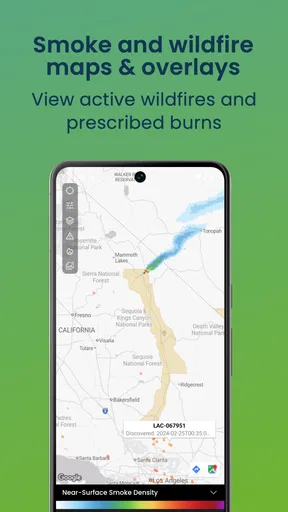
The wildfire smoke map is particularly useful as a visual control because smoke does not always respect the boundaries that a normal weather forecast emphasizes. A map can help me think beyond my immediate street and consider whether conditions are coming from a nearby region. I would use it before planning outdoor activities, especially when the horizon looks hazy or local reports mention fires elsewhere.
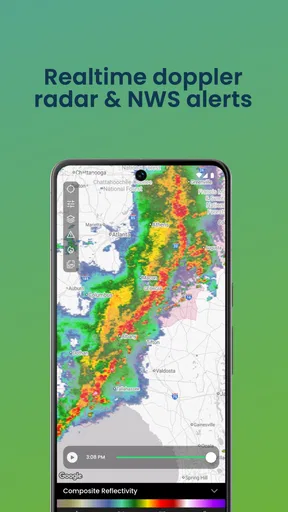
The radar serves a different purpose. It is not a replacement for the smoke map or pollen information; it helps me understand precipitation and approaching weather movement. Keeping those views conceptually separate is important. A clear radar image does not mean the air is healthy, and a high pollen reading does not tell me whether rain will arrive soon.
One useful habit is to check the app in layers rather than looking for one all-purpose score. I would first inspect the regular weather context, then pollen or air quality, and finally radar or smoke if I am planning to be outside for a long time. This workflow reduces the chance that a reassuring temperature or clear sky will overshadow a less visible environmental problem.
Where privacy and data choices deserve attention
Because AirScope is location-oriented in practice, I would pay close attention to the choices shown during setup and while using location-based information. I do not want to grant access automatically simply because an app needs a place to display a forecast. I would read each permission prompt, choose the least access that still supports the experience, and revisit the operating-system settings if the app continues asking for more than I need.
The same principle applies to notifications. An allergy alert can be valuable, but it is still a form of access to my attention. I would enable only the warnings that connect to a real decision in my routine. For example, a person who works indoors may not need frequent outdoor pollen notifications, while someone who cycles daily may find them worthwhile.
I also prefer to inspect any visible account or personalization controls before spending money on optional items. If the app offers settings for saved locations, alerts, or preferences, I would make sure I understand how to change them and whether they are tied to an account. AirScope is easier to trust when choices are presented clearly and can be adjusted without friction.
There is a broader privacy lesson here: the more specific an app becomes about a person’s routines, locations, or sensitivities, the more carefully I should manage what I share. I would avoid entering personal medical details unless the app clearly explains why they are needed and how they are handled. A pollen forecast does not require me to disclose a diagnosis in order to be useful.
For the same reason, I would treat optional purchases as a separate decision from permissions. Paying for an item should not be confused with granting broader access to my device or personal information. I would review the purchase description, confirm that it solves a problem I actually have, and use the platform’s normal cancellation or refund controls if necessary.
A realistic morning with the app
Imagine that I am planning to walk to work and spend lunch outdoors. The temperature looks comfortable, but I have been waking up congested. I open AirScope and check the pollen outlook before leaving. If the allergy alert is unfavorable, I can change the route, shorten the walk, or take medication according to advice I already follow. I then look at the air-quality forecast, because pollen is only one possible reason the air may feel irritating.
Before lunch, I check the smoke map if there has been wildfire activity in the wider region. Even if my neighborhood is not directly affected, the map may prompt me to reconsider a long outdoor break. Finally, I glance at radar to see whether rain or a storm is likely to disrupt the trip home. The value is not that one screen makes the decision for me; it is that I can make the decision with more relevant context.
This workflow also shows one of the app’s trade-offs. It may take more attention than a simple weather widget because I am checking several environmental layers. For a person who only wants tomorrow’s high and low temperature, that extra information could feel unnecessary. For someone whose daily plans are shaped by allergies or smoke, the additional checks are the point.
Who will benefit most, and who may prefer another app
I think AirScope is a strong fit for people who regularly manage seasonal allergies, parents who want to think carefully about outdoor plans, runners and cyclists who are sensitive to air conditions, and anyone living in an area where wildfire smoke can become a recurring concern. It is also useful for people who are tired of switching between a general weather app, an air-quality service, and a separate radar view.
It is less compelling for someone who wants a full-featured everyday weather platform with a large collection of extras unrelated to air conditions. If my main concern were detailed storm tracking, long-range planning, or a broad set of conventional forecast tools, I might prefer a mature general weather service and use AirScope as a companion. Likewise, people who do not experience pollen problems may find the app’s central focus less relevant.
I would also skip using it as the sole source during a serious emergency. The wildfire smoke map can improve awareness, but official evacuation instructions and public-health notices should take priority. Forecast apps can lag behind rapidly changing conditions, and no consumer interface should replace emergency communication.
Another trade-off is the balance between free access and optional purchases. The free entry point is helpful because I can judge whether the app fits my routine before paying. Still, anyone who dislikes in-app purchasing should inspect the available options carefully and disable purchase authentication where appropriate for shared devices. The individual items cost from ninety-nine cents to four dollars and ninety-nine cents, so the amounts are small but should still be evaluated on their usefulness rather than impulse.
Small habits that make the information more useful
My first tip is to compare the app’s environmental information with how I actually feel and with conditions around me, without assuming that either one is automatically perfect. If the pollen outlook appears moderate but symptoms are strong, I would act conservatively and look for local context. Personal response can differ substantially from a general forecast.
Second, I would check the timing of a planned activity instead of relying on a single morning glance. Conditions can shift during the day, and a favorable early reading may not remain favorable by afternoon. A quick recheck before exercise or a long commute is more useful than treating the first forecast as fixed.
Third, I would use radar and air-quality information together but interpret them separately. Rain may temporarily change how the air feels, yet it does not automatically resolve every air-quality concern. Similarly, a clear radar view says little about pollen or smoke. This distinction prevents one reassuring visual from dominating the whole decision.
Fourth, I would keep alerts intentionally narrow. An alert should lead to an action, such as moving a workout indoors or closing windows during a smoky period. If notifications merely make me look at my phone without changing anything, I would turn them down. That is a better use of user control than leaving every warning enabled.
Finally, I would review the app’s settings after major changes in my routine. A location that mattered during a vacation may not matter at home, and a pollen alert that was useful in spring may become irrelevant later. Removing old locations and unused notifications keeps the experience focused and limits unnecessary exposure of information.
My cautious verdict on AirScope
AirScope: Pollen & Air Quality is a thoughtful weather app for a specific problem: understanding how outdoor conditions may affect comfort and breathing, not merely whether the day is warm or wet. I like the way it brings pollen, air quality, wildfire smoke, allergy alerts, and radar into one decision-making routine. Its free starting point makes experimentation easy, while the focused design gives it a clear identity.
My reservations are equally clear. Forecast information should be cross-checked during emergencies, alerts need careful adjustment, and privacy choices deserve attention whenever the app requests location, notification, or account access. I would also avoid assuming that a general pollen or air-quality reading describes my personal medical risk precisely. The app can inform my choices, but it cannot personalize health advice beyond what it visibly and responsibly provides.
With those limits in mind, I would recommend it to a friend who wants more than a conventional weather forecast, especially someone affected by allergies or wildfire smoke. I would not recommend replacing official warnings or professional medical guidance with it. The best way to use AirScope is as a calm, configurable layer of environmental awareness: check it, compare it with trusted local information, and let it support—not dictate—your decision.
Verdict
Strengths of AirScope: Pollen & Air Quality
- Clear pollen forecasts help allergy sufferers plan outdoor activities.
- Air-quality readings include key pollutants and local environmental conditions.
- Location-based updates make monitoring conditions in different areas convenient.
- Simple interface makes daily pollen and pollution checks quick.
- Useful alerts can warn users when conditions become less favorable.
Limitations of AirScope: Pollen & Air Quality
- Coverage and forecast accuracy may vary by region and available data sources.
- Some advanced details or features may require a subscription.
- Frequent notifications can become distracting if not customized.
- Pollen information may be limited for less common allergens.
- Background location access may affect battery life and raise privacy concerns.
Similar Picks in This Category
View All
Weather - By Xiaomi
Xiaomi Inc.4.1

Weather & Radar Forecast
WetterOnline4.8

Weather
OneLouder Apps4.6

AccuWeather: Weather Radar
AccuWeather3.6

The Weather Channel - Radar
The Weather Channel4.6

1Weather Forecasts & Radar
OneLouder Apps4.3
Frequently Asked Questions
What is AirScope: Pollen & Air Quality, and what does it do?
AirScope: Pollen & Air Quality is designed to help users monitor outdoor environmental conditions in one place. It typically provides information such as air-quality levels, pollen activity, weather-related conditions, and possible allergy risks based on your location. The app can be useful for planning walks, exercise, commuting, or outdoor activities, especially during periods of high pollen or pollution.
How accurate are AirScope’s pollen and air-quality readings?
The information shown by AirScope depends on data collected from environmental monitoring stations, weather services, pollen models, and other third-party sources. Accuracy may vary by country, city, and the availability of nearby monitoring stations. Readings should therefore be treated as helpful guidance rather than a medical or scientific measurement made directly at your location. Conditions can also change quickly throughout the day.
Does AirScope require access to my location?
AirScope can generally provide more relevant results when location access is enabled, because pollen forecasts and air-quality conditions differ significantly between areas. You may be able to search for a city manually or use the app without continuous location tracking, depending on its available settings. Before granting permission, review whether the app requests one-time or ongoing access and choose the option that best suits your privacy preferences.
Can AirScope help people with allergies, asthma, or other respiratory conditions?
AirScope may be useful for people who want to follow pollen levels and air-quality trends before spending time outdoors. Its alerts and forecasts can help users decide when to close windows, adjust outdoor plans, or take other everyday precautions. However, the app is not a diagnostic tool and should not replace advice from a doctor, prescribed medication, or an individual asthma or allergy management plan.
Is AirScope: Pollen & Air Quality free to download, and are there extra costs?
The app’s download model, available features, advertisements, and optional premium services can depend on whether you use the Android or iOS version and on your region. Before installing, check the official store listing for subscription details, in-app purchases, trial terms, and renewal conditions. If a free trial is offered, confirm how cancellation works so you are not charged unexpectedly after the trial ends.
